AI and Accessibility in Education
Accessibility should not be an optional extra in education.
Opening Hook
Accessibility should not be an optional extra in education.
If a learner cannot hear the video, read the screen, understand the language or record their response, learning has already become unequal.
AI can help make access faster, wider and more flexible.
Why This Matters
This matters because digital learning is now part of ordinary education. Videos, online platforms, virtual classrooms, documents, assessments and workplace learning systems all shape learner access.
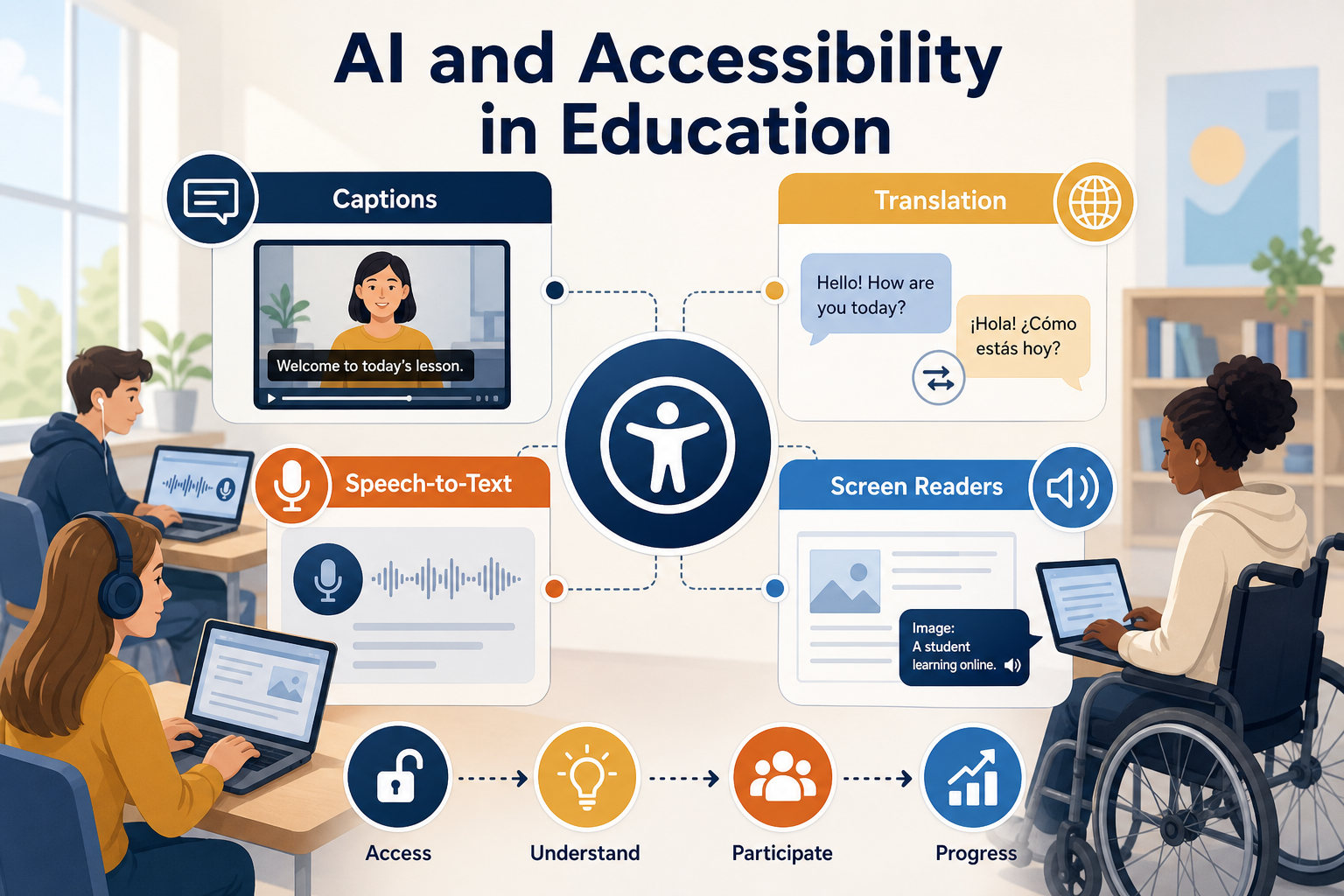
AI can support captions, translation, speech-to-text, text-to-speech, screen reader compatibility and alternative formats.
However, accessibility is not achieved by pressing one button. It requires design, checking and inclusive practice.
Key Point
AI can support accessibility through captions, translation, speech-to-text and screen reader-friendly content.
The Core Reality
Many accessibility barriers are everyday barriers. A video has no captions. A slide deck is unreadable by a screen reader. A learner cannot keep up with spoken instructions. A document uses complex language without support.
AI can generate draft captions, summarise transcripts, translate instructions, convert speech to text and help create alternative explanations.
These tools can make access quicker, but outputs still need human review.
The Main Challenge
The main challenge is quality.
Automatic captions may mishear technical words. Translation may miss context. Speech-to-text may produce errors. Screen reader access depends on document structure, not just text content.
AI can support accessibility, but it must be part of a quality-assured accessibility process.
Why It Happens
Accessibility gaps often happen because resources are created quickly and reviewed too late.
Staff may not know how captions, alt text, headings, readable documents or assistive technologies work. Organisations may lack clear standards for accessible digital content.
AI can help, but only if accessibility becomes a design requirement from the beginning.
Real-World Examples
These examples show how the idea can be applied in everyday education, training and learner support practice.
Captions
A recorded lesson is given AI-generated captions. Staff check names, technical terms and punctuation before learners use it.
Translation
A training provider creates translated guidance for families, then checks meaning with someone who understands the language and context.
Speech-to-text
A learner records verbal notes and converts them into text for review, editing and study.
Screen readers
Staff use AI to draft alt text ideas, then check whether the document has proper headings, labels and reading order.
The Risks of Doing Nothing
If accessibility is ignored, learners may be excluded from digital learning even when the content exists.
If AI accessibility tools are used without review, inaccurate captions, poor translations or badly structured documents can create confusion.
Accessibility must be both fast and reliable.
Risk to Learners
Barriers can remain hidden, support can become inconsistent, and confidence can be damaged.
Risk to Organisations
Quality, inclusion, safeguarding and assessment integrity can suffer when AI use is unmanaged.
A Better Way Forward
A better approach is to build accessibility standards into content creation.
Organisations should train staff on captions, transcripts, alt text, readable structure, plain language and assistive technology. AI can help produce drafts, but humans should verify accuracy and usability.
Learner feedback should be part of the process because accessibility is experienced by the person using the material.
Who Benefits and How
Learners
gain more routes into content and more ways to participate.
Teachers
can create accessible materials more efficiently.
Organisations
can improve digital inclusion and reduce avoidable barriers.
Wider communities
benefit from clearer communication and more flexible access.
Leadership Reflection
Leaders should ask whether accessibility is being treated as compliance or as educational quality.
AI can help organisations move faster, but the real standard is whether learners can access, understand and use the learning.
Key Takeaway
AI can support accessibility through captions, translation, speech-to-text and screen reader-friendly content.
The strongest approach combines AI tools with accessibility standards, human checking and learner feedback.
Closing Question
What would change if accessibility was designed into every learning resource from the beginning?
Reference Sources Reviewed
This article has been written as professional guidance, with factual claims checked against recognised education, accessibility and health-information sources.